Tampilkan postingan dengan label Internet. Tampilkan semua postingan

Selasa, 17 Januari 2012

10 of Google's Free Tools for Keyword Research

Google Free Tools for Keyword Research

Choosing the just the right keywords for your site is truly the key to successful SEO. They define your whole Internet marketing campaign – it revolves around keywords. Thus, if you really want to hit the bull’s eye with your SEO efforts, performing a thorough keyword research is where you’d start.

There is a gazillion of keyword tools out there that help you research keywords from various perspectives. But today we’ll talk about free Google tools that allow you to get valuable keyword intelligence without spending a penny. Some of them you probably heard of, while some names might not ring a bell. In any case, the more keyword research methods you use, the better targeted your search terms will be. So, it won’t hurt to add these Google keyword tools to your SEO toolkit.

1 - Goolge Adwords Keyword Tool

This keyword tool is well-familiar to most SEOs and Internet marketers. It was initially intended to assist Google Adwords advertisers with getting the highest-paying keywords for their PPC campaigns. And it has become a truly indispensible source of keyword ideas for almost every SEO professional.

The app will suggest keywords based on the initial list of search terms you provide or based on your website’s content. It will also tell you the competition rate for each keyword, as well as the number of searches it gets on Google per month.


A keyword’s search volume (aka search popularity) may vary depending on the match type you specify. The tool offers 3 match types – broad, [exact] and “phrase”.

- Broad match will bring you all the phrases that contain your keyword plus synonyms. For example, “designer sunglasses” will be considered a synonym for “designer shades”.

- Exact match will show the number of searches for an exact term, excluding synonyms or longer phrases with that keyword. For instance, it will tell you how many times the exact phrase “designer shades” was looked up on Google.

- Phrase match will also include longer phrases that contain the initial key phrase you specify. For example, ‘buy brand-new designer shades’ and ‘designer shades in different styles and shapes’ will be considered matches for the phrase “designer shades”.


Google Adwords Keyword Tool also groups suggested keywords into appropriate categories, which helps you easier find the ones that are more suitable for your website.


2 - Google Suggest

You must have seen this many times. Once you start typing a search term on Google, you get suggested how to complete your key phrase. These suggestions are not random – they are based on popular terms people search for on Google. To get some unique keyword ideas for you site, start typing your initial keyword and copy the suggestions that appear. You can make a screenshot and convert it into a different format later. Or you can simply write down suggested keywords on a piece of paper – up to you.

The downside of this method is that it’s not very convenient to switch between windows and programs or to take notes manually. Besides, you have to type in each keyword that you want to get ideas for.
3 - Related Searches

The Related Searches section on Google is yet another valuable source to tap into for more keyword ideas. Related searches normally appear at the bottom of a page when you google something up and look like this:

To get even more out of the Related Searches section, hit the More search tools link in the menu on the left and choose the Related searches mode. This time, an extended list of related searches will get displayed at the top of search results:

Besides, each of these prompted terms is clickable. If you click on it, a list of keywords associated with this particular term will be produced. Thus, you get an almost never-ending string of keyword ideas.

Besides, the Related Searches method can also be used inside Rank Tracker, if you choose.
4 - Google Wonder Wheel

Google Wonder Wheel is yet another option you can use to get more keyword tips. It is located right below the Related searches button in the All results menu. Wonder Wheel is a way to graphically present keywords that are related to one another. It is not much different from the Related Searches option, but presents data in a more fun and refreshing way:

The wheel in the center contains your initial search term and is surrounded by related terms. If you click any of those associated keywords, another thematic wheel will appear, with the word you clicked on in the center. This method allows you to easily group words into thematically-related clusters and makes your keyword research easier, not to say, more fun.
5 - Google Sets

Google Sets is a not-so-well-known keyword app by Google that produces sets of things based on the initial terms you enter. You can choose to get suggested a large or a small set of related terms. But even after it has been generated, you can opt to grow the set or shrink it.

6 - Google Trends

Google Trends allows you to see how the popularity of different search terms changes over time. It reflects seasonal fluctuations in certain keyword’s search popularity, and allows you to see which one of your targeted keywords is looked up more often in comparison with a synonymous term. It basically helps you predict seasonal traffic changes and prompts you when a keyword becomes more or less “trendy”.

Besides, it will show what countries certain search terms are most popular in. You can get info on up to 5 words within one single graph that allows you to easily compare them.

Please, note that the table does not show exact search volumes of words. It shows the relation to one another and uses the first keyword you enter as a starting point.

Another valuable insight this tool provides is top 20 most searched for terms on the Web. This way you can define hot topics to write on and discover keywords that will help you optimize your site or blog for Google News.
7 - Google Trends for Websites

Using Google Trends for Websites you can see how the amount of traffic to a particular site changes over time, what other sites those who visit the site you’re analyzing also go to, and what related keywords they look up. The app provides the following statistics:

- The number of visitors to your site and seasonal traffic fluctuations
- The websites those who came to your site also visited
- The keywords those who came to your site also looked up
- The countries your visitors came from


This way you can analyze traffic to your own website or get insight into what’s going on your competitors’ sites. Not to mention this tool is sure to bring you some totally unique key terms your target audiences really search for.
8 - Google Insight for Search

Google Insight for Search is quite similar to Google Trends but provides a wider range of analytical data.

It also shows how keyword trend change over time, tries to predict searchers’ behavior and displays search tendencies in different countries.

It gets you the following statistics:

- Relative popularity of up to 5 search terms and how it changes over time
- Top 10 most popular related searches
- Top 10 fastest-rising searches
- Top 10 countries where the search term is most popular
- Search popularity forecast for 1 year

Before you analyze your keywords, you can set a certain region, timeframe and the span of the Web (Web Search, Image Search, News Search, Product Search) you would like to get analytical data for.
9 - YouTube Keyword Tool

Nowadays a lot of Web marketers employ YouTube immense capabilities to promote their businesses online. YouTube Keyword tool will pinpoint the most popular terms that YouTube users search for. It is very much like Adwords Keyword tool. You can get keyword ideas based on (1) the initial list of keywords you specify, (2) you video’s URL or (3) different user parameters that you specify, such as, age, gender, geographical location, interests, etc.

Just like with Adwords Keyword tool, you can see how many searches a term gets per month. Again, beware of different match types that may influence search popularity statistics.
10 - Google Analytics

And, finally, good old Google Analytics. In case you are just starting a website and do not use Google Analytics yet, you might not know what I’m talking about. Google Analytics is a popular free Web marketing tool that allows you to track your site’s performance and provides diverse analytical data regarding your site.

It also shows keywords that visitors actually used to arrive at your website. Such data is helpful for 2 reasons:

- You can see what keywords on your site bring the most direct traffic
- You can get some more keyword ideas you might have been missing out on


In order to see keyword-related statistics, go to Traffic Sources in the left-hand side menu in your Google Analytics, then choose Search Engines and add the Keyword column to the analysis table.
SEM Blog - Search Engine Marketing Blog


10 of the Best Link-Building Tips for an E-Commerce Websites

Best Link-Building Tips for an E-Commerce Websites

High-quality and abundant backlinks are by far the sure-fire way to drive your website to the top of search engine organic listing. No matter how Google updates its algorithms further, backlicks will always be the main ranking factor (unless social media push them back).

However, quality backlinks are not that easy to get if your website is a 100% e-commerce store. But the more challenging the task is, the more attractive it is.

Here are 10 of the Best Link-Building Tips for an E-Commerce Websites.

1 - Start blogging

Corporate blogging is an awesome opportunity to be more human and personal to your customers and create quality content people will be willing to link to. Once you start blogging, other people in your industry will comment on your posts, share them in social media, thus adding you backlinks and spreading the buzz about your e-commerce store’s blog around.
2 - Post on niche forums

We’re not talking about spam here. As an owner of an e-commerce store, you’re an expert at what you sell, so you can provide value to people by answering their questions. A link to your website in the forum signature section will be a bonus for your efforts.
3 - Get involved in niche organizations and local business associations

Thus you’ll be able to establish good business contacts offline, sharing experience and getting new ideas, partners, customers and friends.
4 - Donate to local charities and nonprofit organizations

Find charities and nonprofit organizations which link to their donor’s websites.
5 - Sponsor/organize contests and giveaways

Organizing contests or just sponsoring them is another great way to attract some links. Search for bloggers who actively organize contests for their readers.
6 - Create a coupon code

Coupons are very popular, and almost every buyer tries to find a coupon code of a store before doing a purchase from it.
7 - Offer products for review

Search for influential websites owners in your niche who write about different product and service providers, and submit your product for review.
8 - Issue news releases

Submit news/press releases to online press release distribution services. You’ll be amazed at how quickly your news item with a link to your website will spread around the web!
9 - Submit your online store to directories

Spread the word about your website in search engine directories (e.g. Yahoo! Directory), social shopping websites and other directories that provide thematic grouping of e-commerce websites.
10 - Plan and track your link-building efforts

At the end of the day, your link-building campaign will be successful only if you plan it carefully and further track the results. There’s special SEO software that can assist you in your link-building efforts.

SEM Blog - Search Engine Marketing (SEM) blog.

Minggu, 18 Desember 2011

10 of the Fastest-rising Global Queries (Top Google Search 2011)

Fastest-rising Global Queries 2011

Rolling up the year ending stones for 2011 but what do really matters this year’s top 10 search list? Heard of Zeitgeist? Well, according Wikipedia, it is "the spirit of the times" or "the spirit of the age." It is the general cultural, intellectual, ethical, spiritual or political climate within a nation or even specific groups, along with the general ambiance, morals, socio-cultural direction, and mood associated with an era.

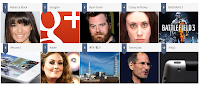
So much for the definition, every year Zeitgeist sorted billions of Google searches to capture the year's 10 fastest-rising global queries and the rest of the spirit of 2011. So here’s the 10 of the Top searched this 2011 according to Zeitgeist 2011.


1 - Rebecca Black

Rebecca Black made a big splash on the Internet with the release of her 2011 pop single “Friday.” The music video catapulted the then 13-year-old to celebrity status after the video went viral, receiving over 167 million views on YouTube.

Searches for Rebecca Black and related searches like Rebecca Black Friday jumped >10,000% between 2010 and 2011, making the young pop singer the #1 fastest rising search on Google in 2011.

Rebecca Renee Black (born June 21, 1997) is an American pop singer who gained extensive media attention with the 2011 single "Friday". Her mother paid $4,000 to have the single and an accompanying music video put out as a vanity release through the record label ARK Music Factory. The song was co-written and produced by Clarence Jey and Patrice Wilson of Ark Music Factory. After the video went viral on YouTube and other social media sites, "Friday" was derided by many music critics and viewers, who dubbed it "the worst song ever." The music video received around 167 million views, causing Black to gain international attention as a "viral star", before being removed from the site on June 16. Black re-uploaded it in her own channel three months later.
2 - Google Plus (G+)

In June 2011, Google entered the social networking space with the launch of Google+. In the three weeks following its announcement, Google+ amassed a user base of more than 10 million people.

The social network grabbed the #2 spot on Google’s list of fastest rising searches after Google+ and related searches like Google Plus shot up by >10,000%.

The service was launched on June 28, 2011, in an invite-only "field testing" phase. The following day, existing users were allowed to invite friends who were over 18 years of age to the service to create their own accounts. This was suspended the next day due to an "insane demand" for accounts. On August 6, each Google+ member had 150 invitations to give out, but on September 20, 2011, Google+ was opened to everyone 18 years of age or older without the need for an invitation. After Google+ went public, users registered to Google+, but those under 18 years of age were unable to sign up for Google+.

Google+ integrates social services such as Google Profiles and Google Buzz, and introduces new services identified as Circles, Hangouts and Sparks. Google+ is available as a web site, and will be available as a desktop application, and is already available as a mobile application, but only on the Android and iOS operating systems. Google has launched an API platform for developers. Sources such as The New York Times have declared it Google's biggest attempt to rival the social network Facebook, which had over 800 million users in 2011.
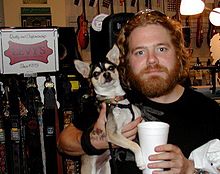
3 - Ryan Dunn

Best known for his daredevil stunts on the reality TV shows “Jackass” and “Viva La Bam,” Ryan Dunn lost his life in a car accident on June 20, 2011 at the age of 34.

The volume of searches for Ryan Dunn grew >10,000% in 2011, making the Ohio native the third fastest rising search on Google.

Ryan Matthew Dunn (June 11, 1977 – June 20, 2011) was an American reality television personality and daredevil best known for being a member of the Jackass and Viva La Bam crew. He hosted Homewrecker and Proving Ground. A member of the CKY Crew, Dunn played one of the main characters in Bam Margera's 2003 film Haggard: The Movie, which was based on a failed relationship Dunn had experienced. He died at the age of 34 in an alcohol-related car crash in West Goshen Township, Chester County, Pennsylvania.
4- Casey Anthony

Young mother Casey Anthony was charged with first-degree murder when the remains of her 2-year-old daughter Caylee were found in a wooded area near her home in Orlando, Florida. A jury found her not guilty on July 5, 2011.

Searches for Casey Anthony and related searches like Casey Anthony Case grew 2,680% from 2010 to 2011, putting her into the #4 spot of fastest rising searches on Google.

Caylee Marie Anthony (August 9, 2005 – indeterminate ca. June 2008) was an American two-year-old girl who was reported missing in Orlando, Florida, in July 2008, and whose remains were found in a wooded area near her home in December 2008. Her then 22-year-old mother, Casey Marie Anthony, was tried for the first degree murder of Caylee but was acquitted. She was, however, convicted of misdemeanor counts of lying to police officers.
5 - BattleField 3

The highly anticipated release of EA’s first-person shooter video game, Battlefield 3, sold 5 million copies in its first week.

Searches for Battlefield 3 and related searches BF3 jumped 1,773% between 2010 and 2011, making this action game the #5 fastest rising search on Google in 2011.

Battlefield 3 (commonly abbreviated to BF3) is a first-person shooter video game developed by EA Digital Illusions CE and published by Electronic Arts. The game was released in North America on October 25, 2011 and in Europe on October 28, 2011 for Microsoft Windows, PlayStation 3, Xbox 360 and EA Mobile confirmed a port for the iOS platform. It does not support versions of Windows prior to Windows Vista as the game only supports DirectX 10 and 11.

It is a direct sequel to 2005's Battlefield 2, and the eleventh installment in the Battlefield franchise. The game sold 5 million copies in its first week of release, and was released to critical acclaim from most game reviewers. The PC download is exclusive to EA's Origin platform, through which PC users also authenticate when connecting to the game.
6 - iPhone 5

Consumers and analysts alike anticipated the release of Apple’s newest smartphone many months prior to its arrival. Rumored features included a larger screen, edge-to-edge glass, an 8 megapixel camera, and extensive voice controls. Many believed the phone would be called the iPhone 5.

Searches for iPhone 5 rose 1,658% between 2010 and 2011, making the rumored smartphone the #6 fastest rising search on Google.

Consumers and analysts alike anticipated the release of Apple’s newest smartphone many months prior to its arrival. Rumored features included a larger screen, edge-to-edge glass, an 8 megapixel camera, and extensive voice controls. Many believed the phone would be called the iPhone 5.

7 - Adele

Adele rocked the music industry with the release of her sophomore album “21,” which sold 208,000 copies in the UK in its first week and debuted at number one on the UK Albums Chart for 16 consecutive weeks. The album catapulted the 22-year-old to record-breaking success and international acclaim.

Searches for Adele rose 1,588% between 2010 and 2011, making the singer the 7th top rising search on Google.

Adele Laurie Blue Adkins (born 5 May 1988), better known simply as Adele, is an English singer-songwriter. She was the first recipient of the Brit Awards "Critics' Choice" and was named the number-one predicted breakthrough act of 2008 in an annual BBC poll of music critics, Sound of 2008. Since her debut album, 19, Adele has received much recognition both commercially and critically. The album debuted at number one and has been certified four times platinum in the UK. Her career in the US was boosted by a viewer record–breaking Saturday Night Live episode in late 2008. At the 2009 Grammy Awards, Adele won the awards for Best New Artist and Best Female Pop Vocal Performance.
8 - 東京 電力 (TEPCO) Fukushima

The Japanese government ordered the evacuation of thousands of residents living near the 東京 電力 (TEPCO) Fukushima I Plant after the 2011 earthquake badly damaged several nuclear reactors.

Searches for 東京 電力 (TEPCO) shot up 1,470%, making the electric utility company the 8th fastest rising search on Google in 2011.

東京 電力 (TEPCO) Fukushima is an electric utility servicing Japan's Kantō region, Yamanashi Prefecture, and the eastern portion of Shizuoka Prefecture. This area includes Tokyo. Its headquarters are located in Uchisaiwaicho, Chiyoda, Tokyo, and international branch offices exist in Washington, D.C., and London.

In 2007 Tepco was forced to shut the Kashiwazaki-Kariwa Nuclear Power Plant after the Niigata-Chuetsu-Oki Earthquake. That year it posted its first loss in 28 years. Corporate losses continued until the plant reopened in 2009. Following the March 2011 Tōhoku earthquake and tsunami, its power plant at Fukushima Daiichi was the site of a continuing nuclear disaster, one of the world's most serious. TEPCO could face ¥2 trillion ($23.6 billion) in special losses in the current business year to March 2012, and Japan plans to put TEPCO under effective state control as a guarantee for compensation payments to people affected by radiation. The Fukushima disaster displaced 50,000 households in the evacuation zone because of radiation leaks into the air, soil and sea.
9 - Steve Jobs

Steve Jobs inspired millions of people around the world with his passion and creativity. The technological visionary revolutionized the way people live and work with the aid of Mac computers, iPods, iPhones, and iPads.

Searches for Steve Jobs grew 982% in 2011, making the creative genius the 9th fastest rising search on Google.

Steven Paul Jobs (February 24, 1955 – October 5, 2011) was an American businessman and inventor widely recognized as a charismatic pioneer of the personal computer revolution. He was co-founder, chairman, and chief executive officer of Apple Inc. Jobs was co-founder and previously served as chief executive of Pixar Animation Studios; he became a member of the board of directors of The Walt Disney Company in 2006, following the acquisition of Pixar by Disney.

In 1996, NeXT was acquired by Apple. The deal brought Jobs back to the company he co-founded, and provided Apple with the NeXTSTEP codebase, from which the Mac OS X was developed." Jobs was named Apple advisor in 1996, interim CEO in 1997, and CEO from 2000 until his resignation. He oversaw the development of the iMac, iTunes, iPod, iPhone, and iPad and the company's Apple Retail Stores.
In 2003, Jobs was diagnosed with a rare form of pancreatic cancer. Though it was initially treated, Jobs reported of a hormone imbalance, underwent a liver transplant in 2009, and appeared progressively thinner as his health declined. In August 2011, during his third medical leave, Jobs resigned as CEO, but continued to work for Apple as Chairman of the Board until his death.
On October 5, 2011, he died in his Palo Alto home, aged 56. His death certificate listed respiratory arrest as the immediate cause of death, with "metastatic pancreas neuroendocrine tumor" as the underlying cause. His occupation was listed as "entrepreneur" in the "high tech" business.
10 - iPad 2

iPad 2 took the world by storm when 500,000 of the second-generation tablets were sold on their debut weekend. Seen as a sleeker, lightweight alternative to its predecessor, iPad 2 sold out across virtually all channels in its first week.

Searches for iPad 2 rose 939% between from 2010 to 2011, making the tablet the 10th fastest rising search on Google.

The iPad 2 is the second and current generation of the iPad, a tablet computer designed, developed and marketed by Apple. It serves primarily as a platform for audio-visual media including books, periodicals, movies, music, games, presentations and web content, and is available in black or white. The iPad 2 has a lithium-ion polymer battery that lasts up to 10 hours, a new dual core Apple A5 processor and VGA front-facing and 720p rear-facing cameras designed for FaceTime video calling.

Apple unveiled the device on March 2, 2011, began selling it by website and retail stores on March 11, and released it in 25 other countries on March 26, including Australia, Britain and Canada. Apple announced that the iPad 2 would be released in Hong Kong, South Korea, Singapore and other countries on April 29, 2011.

Jumat, 16 Desember 2011

10 Out-of-the-box Reasons Why These Link Bait Ideas Worked

10 Best Link bait Tips
What on earth is Link Bait? Well, according to Wikipedia, Link bait is any content or feature, within a website, designed specifically to gain attention or encourage others to link to the website. Matt Cutts defines link bait as anything "interesting enough to catch people's attention."

Some of these link bait pieces started as TV marketing campaigns and then grew into effective link bait, which is not really important. What they all have in common is a fresh, original, outstanding idea ingrained into each of these pieces that we would like to share with you. May they be your inspiration and help you create something stunning on your website as well!


1 - Compare the Meerkat (comparethemarket.com), Humor

Why it worked: The association between "market" and "meerkat" is so obvious, that you can't but remember the site's name automatically. Plus, the idea itself is fresh and unusual - by the time you figure out what this meerkat is talking about, you are hooked. Oh, BTW, did I tell you he speaks with a foreign accent?


2 - Zombie Harmony (mingle2.com), Humor

Why it worked: Lots of people are horror movie fans, like to play zombies or just don't want to be like everybody else. So, people get naturally inspired to share something like Zombie Harmony site with others for kicks.


3 - ElfYourself (OfficeMax), Humor

Why it worked: First of all, the whole thing is extremely hilarious. Second of all, it's not just SOME funny little elves dancing to Christmas music - it's you and your best friends in elf costumes doing the moves you never knew you were capable of!


4 - Old Spice Man (Old Spice), Humor and Sex Appeal

Why it worked: The commercial is basically shot in one uninterrupted take, including some special effects. Plus, the idea of a commercial replying to your post or twit is just so wild - no wonder the Internet community jumped at it.


5 - One Red Paperclip (Kyle MacDonald), Free stuff and a know-how

Why it worked: Were Kyle trading equally valuable things, the story wouldn't get even a tiny share of the attention it got. It was all about pursuing your dream, going up the ladder of success, and everybody was really curious how this would end.


6 - Will it Blend? (Blendtec), discovery/experiments

Why it worked: How often do you see a laptop blended into a pile of dust? Besides, it's a new object every time. And the guy is so funny, asking his usual "but will it blend?" question in a serious tone.


7 - How sexy is your town? (LoveHoney), top-things list and curious facts

Why it worked: The UK Sex Map is a good opportunity to get some unique statistics. Just think about it, what other ways are there to find out how many people buy sex toys in your town?


8 - My Starbucks Idea (Starbucks Cafe), education/ego play

Why it worked: "My Starbucks Idea" creates a perfect opportunity for people to express themselves. Each idea is given a status, like "launched" or "under review", which shows that it's not merely sitting on the site.


9 - Entrepreneurs Can Change the World (Grasshopper), inspirational

Why it worked: People share inspirational videos a lot. Besides, even though the video is supposedly on entrepreneurs, it's pretty much of a universal nature.


10 - Man in Jeggings (Asylum.com), humor and experiment

Why it worked: Funny piece of writing, funny pictures, besides, these are not just mere speculations, it's a real life story.


Now, folks, I'm sure you've come across even more jaw-dropping, astounding links bait pieces online and must be wondering why they're not our list. If that's the case, hit me with rotten tomatoes, if you wish, but then take a minute to post a link to your favorite one on this blog. It well deserves a link, I think, - it's link bait after all!

Minggu, 20 November 2011

10 of the Best Twitter Tips To Promote Your Website

Twitter is one of the best promotional tools online to attract people to your website. You can use it to raise your profile within your niche, find targeted followers, advertise your products/events, alert people to new posts on your blog, etc.

The following is a list of 10 Twitter tips that you can use to help promote and drive targeted traffic to your website.[A guest post by Matt Smith of OnlineIncomeTeacher]

1 - Drive Traffic To Your Website

Millions of people across the world use Twitter everyday. That's a lot of people, but obviously most won't be interested in what you have to say. The key is to find the people that ARE interested!

Search for people who tweet about the same things as you, post links to similar content to your site, talk about subjects that you talk about. These are the people who you want to be targeting. When you find people like this, make sure to follow them and try engaging with them. Once they realise that you are of interest, they will follow you back.

Your aim is to grow your followers with people who are specifically interested in your website niche. Then, when you Tweet about your new content, you are more likely to get a response/get people to click through to your website.

2 - Blogging & Twitter Go Hand-In-Hand

If you run your own blog or website, then Twitter is the perfect marketing tool to promote your site on. Now, there are a few ways to do this;

One of the best and easiest ways is to place a visible link to Twitter on your homepage or sidebar, perhaps via a Twitter button or “Follow Me” icon. This will direct targeted traffic to your Twitter account page, allowing people to follow you and keep up to date with your latest tweets.

You can display a 'Recent Tweets' box on your website as well. This is a great way to display your most recent tweets to visitors of your site. As well as being able to see any useful tweets/links, they can also see that your site is active.

Another excellent way to utilise Twitter on your site is to display sharing links on your posts. As you can see, at the top of this page and to the left of the post, there are links to Twitter (and other social media sites) allowing people to share the post with their online community.

Don't forget to Tweet this very post!!!

3 - Self Promotion On Twitter

There are a lot of people on Twitter, so it's important that you try to make yourself stand out from everyone else. This is where creating your own brand identity is needed, which in the long-run will benefit your site.

To start with, you need to write a short 'bio' about yourself, which will appear on your Twitter profile. This 'bio' helps people understand who you are, or in the case of a website, what the website is about. This may sound really simple, but you need to spend time thinking this through carefully. You have a limited amount of space to write your description in, so it's vital that you get all the information that you need in.

The key to self promotion is to (surprisingly) self promote! Tweet regularly about your site, new posts, news, related products, promotions, etc. and keep your followers up-to date with what is happening.

A good tip would be to Tweet about other people's content within your niche, as well as your own. This way, your followers see you as a source for valuable information instead of only being interested in yourself.

4 - Get To The Point!

You only have 140 characters to Tweet with. This means that you need to get to the point of what you are saying.

This is easier said than done, but the more Tweets you send, the better at it you get. Try to always provide the most vital bits of information and keep everything simple and short, whilst being easy to read.

Remember that you need to allow room for links and hash tag categories (i.e. #blogging) within your 140 character limit. Shorten your links with URL shorteners such as bitly.com and don't use too many hash tags.

5 - Be Social

Twitter has a huge active community of people on it, so interact with people and get your name out there. Whatever your niche, get involved with the people interested with it. Make friends, ask questions, chat, share ideas, re-tweet others, etc. You can't expect to grow your number of followers without being social.

It always amazes me when I get followed by someone that has never tweeting anything! They may be following several thousand people, but have never bothered to interact with any of them. Now this is fine if you only have a small interest in Twitter, but for someone who is promoting there own website/business, this is like shooting yourself in the foot.

You can not expect to grow followers and build a brand without interacting!

6 - Listen To What Your Followers Are Saying

I love Twitter for all the reasons on this list, but by far my favourite and probably most useful is how it can be used to improve your existing business. Think of it as an amazing tool for conducting market research with millions of users, and its all completely FREE!!!

You can get instant reaction from your followers, so you can see what is working and what isn't. Ask them what they like about your website, what they don't like, what they would like to see in the future, etc. What ever aspect you want to learn about, you can ask your followers.
Just make sure you listen to what they say! After all, it's pointless getting all this valuable information if you don't intend on acting upon it.

7 - Talk To People

Sounds simple... and it is, but you would be surprised how many don't do this. Twitter is full of people having conversations, with plenty of useful information. The key is to get chatting to people, ask questions, respond to other peoples questions, and generally interact with others.

8 - Be Open & Honest

Whether talking about your business or life in general, honesty is always the best policy. People are smart, it's easy to tell when someone is talking a load of nonsense, or trying to sell you something “vital” that clearly you don't need. This only results in loosing business.
Be open and honest about your business. Be honest about who you are and what you are talking about. Trust is a vital part of life, if people have trust in you they are much more likely to listen to what you have to say and do business with you.

Always be honest whilst on Twitter. If you happen to find something that you found interesting, or which you think your Twitter followers would like, then Tweet it and tell them about it. Similarly if you find something that you dislike, then again tell people about it. Your followers may not agree with everything that you say, but in the end they will value your open and honest opinions, which is much better in the long run!

9 - Customise Your Twitter Background

You can upload a customised Twitter background for your profile. This lets anyone that visits your Twitter profile to see your customised background.

This can help you stand out from the crowd. Include your website logo, URL address, product promotions, event dates, etc. Check out my custom Twitter background @matt_oit

10 - Useful Twitter Tools

As I have said, Twitter is a great tool for promoting your website, but you need to remember to spend time working on your site and not spend all day Tweeting. Thankfully there are plenty of tools that you can use to make life a little easier.

You can use online tools to automate things like following & un-following people, scheduling Tweets, thank people for following you, etc. Some of the best that I use are 'Tweet Adder', 'HootSuite' & 'MarketMeTweet'

I find that scheduling a few tweets at night helps to promote my site to people on the other side of the world. Just think of all the people online who could be reading your valuable content whilst you are asleep!
matt smith
This is a guest post by

Matt Smith

Matt runs his own blog 'OnlineIncomeTeacher' which teaches people how they can earn money online and set up their own website/blog. You can follow him on Twitter @matt_oit

Minggu, 06 November 2011

10 of the Advance SEO Terminologies You Should Know!


Being a blogger and a Virtual SEO Assistant, we need to do a search engine optimization in our blog or site for it appear in search engines. Now,some of you may or may not know about SEO, however, there are some SEO terminologies that we need to know in order to fully understand how SEO work for our blogs or websites.

Let me add the fact that there are hundreds of SEO glossaries out there too, but, here are some of the TOP 10 SEO terms that I want to share to all as I think it may be useful. SEO Professionals and newbies can benefit on this list as it can help broaden their knowledge on SEO.
1 - Crawl

(Noun) The process by which search engines retrieve content from a Website, including the criteria used to determine rates and priorities of crawl. From the perspective of an SEO, crawl can be influenced or managed through internal and external resources.
2 - Filthy Linking Rich Principle

(Noun phrase) The more links a document has accrued, the more links the document will accrue. Stated another way, the more visible a document is in search engine results, the more likely the document is to accrue links, and hence the more visible the document becomes in search engine results.

3 - Indexer

(Noun) A type of program that search engines use to update their databases with information about retrieved and parsed Web documents. You rarely see even knowledgeable SEO forum moderators and admins speak of indexers and parsers, perhaps out of a misguided concern that they will confuse people who are new to search engine optimization. Unfortunately, those new people visit the forums to learn about SEO, so teaching them the wrong terminology does them a great disservice.
4 - Influencer

(Noun) A Web site or individual whose content is deemed to be influential in adjusting search result (q.v.) rankings, usually either through the creation of new content or the placement of links to other documents. Some blogs (q.v.) can be powerful influencers.
5 - Link mass

(Noun phrase) The combination of all connected links that lead to any given page in a hypertext document collection. Absolute link mass cannot be measured. Relative link mass can be approximately measured.
6 - Naturality

(Noun) 1) A metric or measure of a range of search listings (q.v.) for a query which are not optimized to be included in the search results. A perfectly natural search result (q.v.) has a Naturality value of 1.0, reflecting the fact that none of the search listings (q.v.) are optimized for placement in the result. 2) The characteristic of being natural in the sense of not having been optimized for inclusion or ranking within a group or collection of natural, transparent, or opaque objects.
7 - Parasitical SEO

(Noun phrase) The practice of “riding coat-tails” for one’s own advantage. Parasitical SEO tactics may include: creating competitive content about well-established brands (common in affiliate marketing), injecting content onto an established Web site without the site owner’s knowledge or approval, dropping links into comments and discussions on popular blogs and forums, etc.
8 - Quality Links

(Noun phrase) A nonsense expression with no real value or purpose other than to act as a catchall for the types of links people think are better than “those other links”. Googlers use “quality links” as a subtle way of telling people to stop getting cheap spammy links. Many SEO forum moderators and admins use “quality links” in a somewhat broader but similar fashion, if only because they don’t know exactly what criteria make links good for any particular search engine but they recognize that people who are asking about linkage have a problem. Nearly everyone else seems to use the expression to refer to their (usually non-performing) backlinks. I wrote about high quality links at SEOmoz (in a post designed to rank for “high quality links” on the basis of content but the lesson passed over everyone’s head, except for Aaron Pratt who saw what I was doing right away).

9 - SERP (Acronym for Search Engine Results Page)

Everyone seems to know this acronym by now. I have always hated it even though I now reluctantly use it. SRP (search results page) would be better, since it’s all inclusive. You can have a DRP (Directory Results Page) which some people might argue should be called a DSRP (Directory Search Results Page). I still get click throughs from Yahoo! and DMOZ directory page listings (or a DLP, Directory Listings Page).
10 - Universal Search

(Noun phrase) The practice by major search engines like Ask, Google, Live, and Yahoo! of melding results from several search databases to provide the user with a more diverse selection of search listings (usually combining video, news, blog, Web, book, and other search tools). Aka Blended Search.

You can check the full list of Advanced SEO Glossary here: Click here. Thanks to the SEO Analyst , Alwin Clores, for sharing this very invaluable SEO information.

Got some information overload? Fear not! Just ask here and I'll be very much willing to help you understand more about SEO and its terminologies.

    About Tristan Khalil Singkala, the author

    A gamer, manga-lover, blogger, SMM and SEO Professional. Proud Pinoy Freelancer, owner of TRIZZONE and Sociable Media Design. He blog about SEO, Social Media, being a Virtual Assistant and Freelancing. You can connect with him in his social networks.

Senin, 31 Oktober 2011

10 of the Must-Read Articles to Find Design Resources


Staying up-to-date on the current web design news is very important for every different kind of designers as it will play a vital role in developing their own skills. If you are not up-to-date on the latest and most probably the important news and resources, then you are not going to be able to provide professional people with what they are looking for. Of course they will go somewhere where they will find what they are looking for in case you can’t provide what people are looking for.

Finding inspiration is not always as simple as it sounds, whether you’ve been designing for years or only weeks but because of different motivated people who are not stopping to compile different websites that will serves as a guide for every one of us, looking for resources become handy. Being a motivated one, I always find a way to collect all the best resources to help every individual to easily get started on their journey. In today's post, we have composed the most comprehensive list of places where you can find design resources with different categories such as PSD, Business Cards, Logo, Brushes, Patterns, Textures, Infographics and more. These lists are part of the session "Web Resources Compilations" made by me on my blog. It is an excellent list of categorized places or websites where you can find different great sources of Design Inspirations and Resources.

The primary focus of this list is resources to help different designers whether they are PRO or Beginner in their workflow. This will cover most of the aspects in designing that will allow you to manipulate your own design journey. Good Luck!
1 - 25 Sources to Download High Quality Free PSD Files


Working with the Photoshop PSD files as source for design elements like Photoshop text effects can help you get a quicker and more effective start. It also reveals the techniques used on a specific design and most of the time there is something new we can learn from it. This entry will show you the 25 Sources to download high quality and professionally designed Photoshop .PSD files.


2 - 20 Sources to Download Free Photoshop Brushes


Brushes enhance your art for making it possible for you to add awesome graphic elements to your image and of course, save you a lot of time. But finding great brush sources is not as easy as it seems. You have many websites, but only a few are well organized and have easy to find brushes. That is what we will try to bring you with this post that will show you the list of websites where you can find free download of Photoshop Brushes.


3 - 20 Sources to Download Free Photoshop Patterns


Photoshop Patterns can help to create attractive and beautiful website backgrounds with very little effort. That's why we listed a bunch of sites where you can download Free Photoshop patterns. This list of sites can be very good sources of Free Photoshop Patterns that you can incorporate to your designing process and hopefully will speed up your workflow.


4 - 20 Sources to Download Free High Quality Textures


Texture plays a vital role in giving a little bit of depth that every designer is looking for to make the image pop. With just a little tweak of imagination and creativity, they can already create good design artworks with it. That is why we compiled the top places or websites to download free high quality textures.


5 - 15 Massive Collection of Logo Design Resources Site

Logo is one of the very important elements of one’s company as it symbolizes the image of the team as a whole. Every company wants their logo to look unique so that it makes the company stand out from their competitors. This entry won't show you any compilations of logo designs that are visually extraordinary to make you inspire but we are compiling the list some of the top websites where you can find the best sources to get Logo Design Inspirations and Resources.


6 - 10 Ultimate Lists of Top Infographics Resources Site

Instead of poring over figures and long reports to decipher data, an infographic can immediately explain what the data actually means. This could help to quickly and clearly provide us with information that might be complex or hard to understand. In this entry, we compiled the list some of the top websites where you can find almost all of the top infographics around the web.


7 - 20 Collection of Business Card Resources Site


Here we provide a list of useful websites where you can find inspirations and resources related to business cards. This will help you to find the best website suited for you to have your own business card. It is important because this will leave a good impression about your company and yourself in the minds of those whom you hand over the card.


8 - 20 Excellent List of Free Fonts Resources Site

Good typography is not just about the size and style of a font, but also it's about helping to establish a high level of visual hierarchy. It is very important element of a designing whereas it adds finishing touch to a design to give it the best look. In this entry, we compiled different websites where you can download free Fonts to get you started in your designing career.


9 - 20 Helpful Websites to Submit Your Design News

Traffic is one of the main goal and may be one of the reason why people blog. Every individual have their own reason why they are blogging but the common denominator is "Traffic". That is why we compiled the 20 websites where you can submit your post for free to generate traffic. But sad to say, they only allow design related news. But for designers, this is a good start to have some exposure in design world.


10 - 30 Marketplaces To Buy and Sell Stock Images


Photographers, this is your turn. This entry is a roundup of different marketplaces for stock photos that offers buy and sell of different arts. These virtual places are created to help buyers and sellers to save time and money.


About Designers Hub (formerly Photoshop PH) is a huge directory of the best free Photoshop Resources from all over the web. The ultimate list with different kinds of Photoshop Resources such as PSD, Brushes, Styles, Patterns, Gradients, PNG, Tutorials, Inspirations and many more. We also provide design compilations, web development and art-oriented articles and we promote the works of talented artists from all over the world. Founded in July 2011 by Manuel Garcia from Philippines.

About Manuel Garcia, the author

He is currently a 3rd year student taking up Education Course and the founder of Designers Hub. He launched Designers Hub to help the Design Community in providing high quality design resources and inspirations.