Tampilkan postingan dengan label FeaturedContribution. Tampilkan semua postingan

Selasa, 17 Januari 2012

10 of Google's Free Tools for Keyword Research

Google Free Tools for Keyword Research

Choosing the just the right keywords for your site is truly the key to successful SEO. They define your whole Internet marketing campaign – it revolves around keywords. Thus, if you really want to hit the bull’s eye with your SEO efforts, performing a thorough keyword research is where you’d start.

There is a gazillion of keyword tools out there that help you research keywords from various perspectives. But today we’ll talk about free Google tools that allow you to get valuable keyword intelligence without spending a penny. Some of them you probably heard of, while some names might not ring a bell. In any case, the more keyword research methods you use, the better targeted your search terms will be. So, it won’t hurt to add these Google keyword tools to your SEO toolkit.

1 - Goolge Adwords Keyword Tool

This keyword tool is well-familiar to most SEOs and Internet marketers. It was initially intended to assist Google Adwords advertisers with getting the highest-paying keywords for their PPC campaigns. And it has become a truly indispensible source of keyword ideas for almost every SEO professional.

The app will suggest keywords based on the initial list of search terms you provide or based on your website’s content. It will also tell you the competition rate for each keyword, as well as the number of searches it gets on Google per month.


A keyword’s search volume (aka search popularity) may vary depending on the match type you specify. The tool offers 3 match types – broad, [exact] and “phrase”.

- Broad match will bring you all the phrases that contain your keyword plus synonyms. For example, “designer sunglasses” will be considered a synonym for “designer shades”.

- Exact match will show the number of searches for an exact term, excluding synonyms or longer phrases with that keyword. For instance, it will tell you how many times the exact phrase “designer shades” was looked up on Google.

- Phrase match will also include longer phrases that contain the initial key phrase you specify. For example, ‘buy brand-new designer shades’ and ‘designer shades in different styles and shapes’ will be considered matches for the phrase “designer shades”.


Google Adwords Keyword Tool also groups suggested keywords into appropriate categories, which helps you easier find the ones that are more suitable for your website.


2 - Google Suggest

You must have seen this many times. Once you start typing a search term on Google, you get suggested how to complete your key phrase. These suggestions are not random – they are based on popular terms people search for on Google. To get some unique keyword ideas for you site, start typing your initial keyword and copy the suggestions that appear. You can make a screenshot and convert it into a different format later. Or you can simply write down suggested keywords on a piece of paper – up to you.

The downside of this method is that it’s not very convenient to switch between windows and programs or to take notes manually. Besides, you have to type in each keyword that you want to get ideas for.
3 - Related Searches

The Related Searches section on Google is yet another valuable source to tap into for more keyword ideas. Related searches normally appear at the bottom of a page when you google something up and look like this:

To get even more out of the Related Searches section, hit the More search tools link in the menu on the left and choose the Related searches mode. This time, an extended list of related searches will get displayed at the top of search results:

Besides, each of these prompted terms is clickable. If you click on it, a list of keywords associated with this particular term will be produced. Thus, you get an almost never-ending string of keyword ideas.

Besides, the Related Searches method can also be used inside Rank Tracker, if you choose.
4 - Google Wonder Wheel

Google Wonder Wheel is yet another option you can use to get more keyword tips. It is located right below the Related searches button in the All results menu. Wonder Wheel is a way to graphically present keywords that are related to one another. It is not much different from the Related Searches option, but presents data in a more fun and refreshing way:

The wheel in the center contains your initial search term and is surrounded by related terms. If you click any of those associated keywords, another thematic wheel will appear, with the word you clicked on in the center. This method allows you to easily group words into thematically-related clusters and makes your keyword research easier, not to say, more fun.
5 - Google Sets

Google Sets is a not-so-well-known keyword app by Google that produces sets of things based on the initial terms you enter. You can choose to get suggested a large or a small set of related terms. But even after it has been generated, you can opt to grow the set or shrink it.

6 - Google Trends

Google Trends allows you to see how the popularity of different search terms changes over time. It reflects seasonal fluctuations in certain keyword’s search popularity, and allows you to see which one of your targeted keywords is looked up more often in comparison with a synonymous term. It basically helps you predict seasonal traffic changes and prompts you when a keyword becomes more or less “trendy”.

Besides, it will show what countries certain search terms are most popular in. You can get info on up to 5 words within one single graph that allows you to easily compare them.

Please, note that the table does not show exact search volumes of words. It shows the relation to one another and uses the first keyword you enter as a starting point.

Another valuable insight this tool provides is top 20 most searched for terms on the Web. This way you can define hot topics to write on and discover keywords that will help you optimize your site or blog for Google News.
7 - Google Trends for Websites

Using Google Trends for Websites you can see how the amount of traffic to a particular site changes over time, what other sites those who visit the site you’re analyzing also go to, and what related keywords they look up. The app provides the following statistics:

- The number of visitors to your site and seasonal traffic fluctuations
- The websites those who came to your site also visited
- The keywords those who came to your site also looked up
- The countries your visitors came from


This way you can analyze traffic to your own website or get insight into what’s going on your competitors’ sites. Not to mention this tool is sure to bring you some totally unique key terms your target audiences really search for.
8 - Google Insight for Search

Google Insight for Search is quite similar to Google Trends but provides a wider range of analytical data.

It also shows how keyword trend change over time, tries to predict searchers’ behavior and displays search tendencies in different countries.

It gets you the following statistics:

- Relative popularity of up to 5 search terms and how it changes over time
- Top 10 most popular related searches
- Top 10 fastest-rising searches
- Top 10 countries where the search term is most popular
- Search popularity forecast for 1 year

Before you analyze your keywords, you can set a certain region, timeframe and the span of the Web (Web Search, Image Search, News Search, Product Search) you would like to get analytical data for.
9 - YouTube Keyword Tool

Nowadays a lot of Web marketers employ YouTube immense capabilities to promote their businesses online. YouTube Keyword tool will pinpoint the most popular terms that YouTube users search for. It is very much like Adwords Keyword tool. You can get keyword ideas based on (1) the initial list of keywords you specify, (2) you video’s URL or (3) different user parameters that you specify, such as, age, gender, geographical location, interests, etc.

Just like with Adwords Keyword tool, you can see how many searches a term gets per month. Again, beware of different match types that may influence search popularity statistics.
10 - Google Analytics

And, finally, good old Google Analytics. In case you are just starting a website and do not use Google Analytics yet, you might not know what I’m talking about. Google Analytics is a popular free Web marketing tool that allows you to track your site’s performance and provides diverse analytical data regarding your site.

It also shows keywords that visitors actually used to arrive at your website. Such data is helpful for 2 reasons:

- You can see what keywords on your site bring the most direct traffic
- You can get some more keyword ideas you might have been missing out on


In order to see keyword-related statistics, go to Traffic Sources in the left-hand side menu in your Google Analytics, then choose Search Engines and add the Keyword column to the analysis table.
SEM Blog - Search Engine Marketing Blog


10 of the Best Link-Building Tips for an E-Commerce Websites

Best Link-Building Tips for an E-Commerce Websites

High-quality and abundant backlinks are by far the sure-fire way to drive your website to the top of search engine organic listing. No matter how Google updates its algorithms further, backlicks will always be the main ranking factor (unless social media push them back).

However, quality backlinks are not that easy to get if your website is a 100% e-commerce store. But the more challenging the task is, the more attractive it is.

Here are 10 of the Best Link-Building Tips for an E-Commerce Websites.

1 - Start blogging

Corporate blogging is an awesome opportunity to be more human and personal to your customers and create quality content people will be willing to link to. Once you start blogging, other people in your industry will comment on your posts, share them in social media, thus adding you backlinks and spreading the buzz about your e-commerce store’s blog around.
2 - Post on niche forums

We’re not talking about spam here. As an owner of an e-commerce store, you’re an expert at what you sell, so you can provide value to people by answering their questions. A link to your website in the forum signature section will be a bonus for your efforts.
3 - Get involved in niche organizations and local business associations

Thus you’ll be able to establish good business contacts offline, sharing experience and getting new ideas, partners, customers and friends.
4 - Donate to local charities and nonprofit organizations

Find charities and nonprofit organizations which link to their donor’s websites.
5 - Sponsor/organize contests and giveaways

Organizing contests or just sponsoring them is another great way to attract some links. Search for bloggers who actively organize contests for their readers.
6 - Create a coupon code

Coupons are very popular, and almost every buyer tries to find a coupon code of a store before doing a purchase from it.
7 - Offer products for review

Search for influential websites owners in your niche who write about different product and service providers, and submit your product for review.
8 - Issue news releases

Submit news/press releases to online press release distribution services. You’ll be amazed at how quickly your news item with a link to your website will spread around the web!
9 - Submit your online store to directories

Spread the word about your website in search engine directories (e.g. Yahoo! Directory), social shopping websites and other directories that provide thematic grouping of e-commerce websites.
10 - Plan and track your link-building efforts

At the end of the day, your link-building campaign will be successful only if you plan it carefully and further track the results. There’s special SEO software that can assist you in your link-building efforts.

SEM Blog - Search Engine Marketing (SEM) blog.

Jumat, 13 Januari 2012

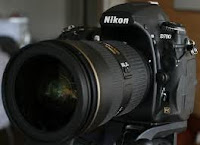
10 of the Best Digital Cameras in the Market (Top Picks 2012)


There are few better ways to ensure that a memory is never lost than taking a photo, but what are the best options on the market today for digital cameras? Choosing a camera can be a difficult task because there are so many factors to consider, such as price, image quality, battery life and many more.

Where will you use your digital camera? There are different options based on the type of photography that you hope to participate in from professional quality cameras all the way down to devices more designed for hobby users.

When it comes down to actually making the decision on which camera to buy, consumers must consider which camera will best suit their needs and FindTheBest has created a top ten list to help them do just that.

10 - Nikon D90, Nikon
9 - Sony HX1, Sony
8 - Nikon D3X, Nikon
7 - Nikon D3S, Nikon
6 - Sony HX1, Sony
5 - Pentax K-7, Pentax
4 - Canon EOS-1D Mark III, Canon
3 - Canon PowerShot G11, Canon
2 - Nikon D3, Nikon
1 - Nikon D700, Nikon

FindTheBest, a powerful tool for making quick and informed decisions on everything from smartphones to tablets to electronic pianos.

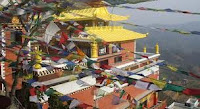
10 of the Best Places to Visit in Nepal

Best Places to Visit in Nepal

One of the best places to visit when nature tripping and travel back in time - Nepal. The country is full of antique places where history comes alive. It is also gifted by nature with natural wonders recognized in the world. That in addition to a diverse cultural richness and lively traditions, beautiful temples and monuments as well as rivers and tropical jungles teeming with wildlife, making your trip an unforgettable experience. It is a multicultural, multi-ethnic and language. However, all people of different races and religions live in harmony and there is an ideal blend of Hinduism and Buddhism. Let me tell you 10 of the Best Places in Nepal that proves it's wonder.

1 - KATHMANDU DURBAR SQUARE, KATHMANDU

Kathmandu, the capital of Nepal, is one of the oldest cities in the world. The old town with narrow medieval streets and lovely little shrines, centers on the Durbar Square. Here one can find distinctive pagoda-roofed temples, stone sculptures, old Monasteries and historic monuments.
2 - BHAKTAPUR DURBAR SQUARE, BHAKTAPUR

Bhaktapur or also known as Bhadgaon, is a museum of medieval art and architecture with many fine examples of sculpture, woodcarving and colossal pagoda temples consecrated to different gods and goddesses. The city is shaped like a snail, one of the emblems of the god Vishnu and was founded by King Ananda Deva in 889. The city is 1402 meters above the sea level. Pottery and weaving are the most important traditional industries. The town is located fifteen kilometers east of Kathmandu.
3 - TEMPLE OF KRISHNA, PATAN

The ancient name of Patan is Lalitpur meaning, city of beauty. In fact, a city of beauty and grace and is planned in a circular format with Buddhist stupas at each of the four cardinal points. The town is three kilometers southeast of Kathmandu, across the river Bagmati. As Kathmandu, center of attraction is its Durbar Square complex, situated in the center of the marketplace. The city is full of monuments, Buddhist and Hindu temples with fine bronze entries, guardian deities and wonderful carvings. Known for its craftsmen and metal workers, also known as the city of artists. The city is believed to have been built during the reign of Vira developer in the year 299.
4 - FEWA LAKE, POKHARA

Pokhara, a charming city located in the tranquil valley (827m), is the starting point for many of the most popular destinations in Nepal, trekking and rafting. The serenity of Phewa Lake and the magnificence of the summit trail Machachhapuchhre Fish (6977 m) behind them create an environment of peace and magic. The valley surrounding Pokhara is home to thick forests, gushing rivers, clear lakes and views of the world famous Himalayas. Located 200 km west of Kathmandu, Pokhara is connected by air and by road from Kathmandu and Bhairawa, a border town near India. Pokhara offers magnificent views of Dhaulagiri, Manaslu, Machchhapuchhre, five peaks of Annapurna and others.
5 - LUMBINI

Lumbini, the birthplace of Siddhartha Gautama. The Prince and the Buddha Shakya Finally, the Enlightened One, is the place of pilgrimage for millions of people in the world of the faithful in all schools of Buddhism. UNESCO lists the birth site, identified by Indian Emperor Ashoka pillar commemorating a World Heritage Site. The main attraction of Lumbini remains the sacred garden spread 8sq km, possessing all the treasures of the historic area. Mayadevi Temple is the main attraction for pilgrims and archaeologists alike. Here we find a bas relief of Mayadevi, Buddha's mother giving birth to him. Standing to the west of the sanctuary is Mayadevi the oldest monument of Nepal, the Ashoka Pillar. Emperor Ashoka erected a pillar in 249 a. C. to commemorate his pilgrimage to the holy sites. South of the column, is the sacred lake, where there Puskarni} {Mayadevi had taken a bath just before giving birth to Buddha. Places of interest around the area there are several other attractions nearby. It can be accessed by air from Kathmandu to Bhairawa. From Kathmandu it takes about eight hours by bus or car.
6 - CHITWAN NATIONAL PARK, CHITWAN

Chitwan is one of the best national parks in Asia, renowned for its concentration of wildlife and better class tourist lodges, which offer the opportunity to see animals in their natural habitat. Chitwan which means "heart of the jungle 'is among the last surviving example of the continuous band of forests and grasslands, which stretched from the Indus River in Pakistan to the Burmese border. Its main attraction is the Chitwan National Park One of the major forest regions of Asia where wild animals live, like the few great one-horned rhinoceros, several species of deer, sloth bears, leopards, wild boar, fresh water dolphins, crocodiles, 350 species of birds and the elusive Bengal tiger. Chitwan National Park is shown in the World Heritage Site (natural) list. Visitors to Chitwan may enjoy elephant back excursions, nature walks, canoeing and hiking through the jungle. There are several authorized agencies to organize such safaris. Visitors can also take a raft. First driving from Kathmandu to the river or Seti Khola Trishuli. The five-hour trip to Chitwan (165 km overland) from Kathmandu, is filled with exciting views of the hills, rivers and plains with jungles on either side.
7 - DHULIKHEL

Dhulikhel is scenic and the town located 30 kilometers east of Kathmandu on the Arniko Rajmarg (Kathmandu Kodari Highway). From here you can have a panoramic view of the Himalayas. In the main city, a brief visit to Namobuddha with Buddhist stupa and the monastery is highly recommended place to visit. Panauti, a village famous for its numerous temples with magnificent wood carving is a short distance from Dhulikhel.
8 and 9 - MUKTINATH TEMPLE, MUKTINATH and JOMSOM

It is believed that all miseries / sorrows are relieved once you visit this temple (Mukti = Nirvana, Nath = God). The famous temple of Lord Muktinath lies in the district of Mustang and is situated about 18 km northeast of Jomsom at an altitude of about 3749 m. The main shrine is a pagoda shaped temple dedicated to Lord Vishnu. On the wall is around 108 suppliers who take holy water. The temple is located in a high mountain and is visited during fair weather. There are two ways to get to Muktinath from Kathmandu. Or take a direct flight from Kathmandu via Pokhara to Jomsom and hike for 7-8 hours through Kagbeni or trekking to the end of Pokhara which is 7-8 days. It is believed that one should visit this temple after competing pilgrimage of four dhams in India. This temple is considered sacred by Hindus and Buddhists. The Jwala Mai temple nearby contains a spring and an eternal flame fed by natural gas underground. Jomsom is a major center in the Annapurna region. Not a first class accommodation in Jomsom from where one can enjoy the outstanding natural beauty.
10 - GORKHA DURBAR, GORKHA

Gorkha is the birthplace of King Prithvi Narayan Shah the Great, the founder of modern Nepal. Situated on a hill overlooking the snowy peaks of the Himalayas is a beautiful old palace known as Gorkha Durbar. There are two attractive temples and Kali Gorakhanth place within the enclosure. Gorkha can be reached in about six hours by road from Kathmandu and four hours from Pokhara. A side trip to Manakamana temple on the way to Gorkha is very enjoyable and interesting. The Nepalese believe Manakamana Goddess fulfills the desires of all people and that's one reason why the temple is visited by tourists and locals throughout the year.

About Nature of Nepal, Contributor

Namaste and Welcome to Nepal, for many visitors, this Himalayan country brings images of snow-capped mountains and green hills. In fact, ten highest mountains in the world, eight are in Nepal, Nepal mountaineering make a dream. Nepal, a small country with an approximate area of 147,181 square kilometers is geographically and ethnically diverse, with over 61 ethnic groups and 70 languages spoken. That in addition to a diverse cultural richness and lively traditions, beautiful temples and monuments as well as rivers and tropical jungles teeming with wildlife, making your trip an unforgettable experience. It is a multicultural, multi-ethnic and language. However, all people of different races and religions live in harmony and there is an ideal blend of Hinduism and Buddhism.

Selasa, 27 Desember 2011

10 of the Best and Fashionable Ankle Boots or Wedge Boots (2011 Fall Collection)

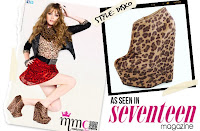
ankle boots as seen on seventeen mag

The buzz around fashion world this coming fall talks about the ankle boots or wedge boots or simply “Booties.” Name it, you’ll have it from catwalks and runways, to fashion TV and the great Vogue and Elle magazines, Bazaar magazines – this cute and adorable short booties and ladies best friends are presented amazingly.

This year, Makemechic.com showcases their best footwear collections (ankle boots for women as well as ladies wedge boots) this fall season. Well as for me, Wild Rose collection is on my top list and should be on my shop cart *LOL.

So here are my 10 of the best boots that should be on my shop cart. Obviously, this list is subjective and you can have your own list too.

1 – Two Tone Contrast Toe Ankle Booties

Let sparks fly with the ultimate statement shoe by Lady Luxe! Yasmine 21 features a two tone design with a snake and suede upper. These booties also have a contrast toe design and a hidden platform. Inside zipper closure and Heel measures approx. 5.25" in height which is Available in 5 colors.


2 – Zipper Treatment Architectural Wedge Boots

If you love being in the limelight then this wedge has your name written all over it. Wild Rose's Inga03 style is wrapped in leatherette with a faux fur in leopard print at the vamp, and finished with zipper treatment. A 5" towering double stacked wedge has a trim of shiny silver and flows into the 1.5" platform.


3 - Perforated Wedge Ankle Boots

Our Favorite lace up wedge boots from Bumper! Zena21 brings you a leatherette ankle high upper with a cut out perforated body. This peep toe ankle boot is completed with 5" wedge heel and 1.5 inch platform and available in 4 colors.


4 - Lace up Rubber Wedge Boots

You'll be lonely without these awesome rugged rubber wedge heel boots in your life. Qupid brings you Mac22, a trendy style that has a faux suede upper with brown faux fur at the top. This 3" rubber wedge heel boot has lace up details at the vamp and a inner zipper for easy on and off.


5 - Back Lace up Wedge Boots

No staying under the radar when wearing these mod wedges from Toi et Moi. A nubuk upper with back lace up make Tesso02 a must have style. A 1.5" platform and a 5 inch towering wedge will bring a bold and spunky look to your ensemble and Easy slip on style which also available in 2 colors.


6 - Cuff down Hidden Wedge Boots

These killer wedges will have you dressed to impress and out the door in no time! Bamboo's Carmela-10 bootie is made up of crinkle leatherette upper with a cuff down design. Non functioning criss-cross buckle straps adorn the boot. A 3.5” hidden wedge heel with 0.75” hidden platform perfects this style and makes it a perfect addition to your fall wardrobe and available in 2 colors.


7 - Multi Buckle Strap Wedge Boots


Show cold weather whose boss in these multi buckle straps Motiz09 wedge boots from Wild Diva. This wedge boot showcases an imitation kid suede upper complete with 5 leatherette buckle straps covering the shaft. An impressive 4" wedge heel finishes off this playful style - Wide top opening, easy slip on style and available in 2 colors.


8 - Wedge Heel Ankle Boots

Slip into this wedge ankle boots for a stylish update to your wardrobe from Bamboo. Ceasar01n brings you a perfect transitional shoe with luxury leopard print faux suede upper and a cute almond toe. This ankle boot has a 4.5" wedge and 1.5" platform. Pair these with your favorite outfit for an immediate trendsetting look have it in both faux suede and leatherette materials.


9 - Side Knotted Hidden Wedge Boots

Get the casual look of a flat boot with the remarkable height of a wedge in this style from Wild Diva. Candies06 has a leatherette upper with a 1.5 inch hidden wedge. The top has a side knot with slouchy shaft, making this boot welcome to any shoe closet.


10 – Peep Toe Platform Ankle Boots

These Rina13 textured faux fur ankle boots by Breckelle's is on its way to turn you into a star! Add this exotic leopard high heel ankle boot to your collection today and let your animal instincts take over! Details include a peep toe body with a hidden platform and back zipper. Heel measures approx. 5.5" high with a 1.25" platform.


You may like some recommended fashionable ankle boots from Make Me Chic.


These suede ankle boots by Bamboo will add a dose of style to your denim...
Suede Double Buckle Ankle Boots
You can't miss these flashy snake ankle booties by Celeste!
Snake Beaded Side Ankle Booties
Colorful and unique! This wedge ankle boots with the right moves...
Perforated Zig Zag Wedge Booties


So, do you like my saucy list of top 10? Check them out! Thanks jrplaza for letting me post here, Love lots to you all!
  • Reference/Source: Products and Images from Makemechic.com
  • About Raiyan Enchaviz, the author

    Hello guys. I'm Raiyan Enchaviz. I love to blog about fashion as you can see on the themes of my blogs. I am an aspiring fashion designer specially for celebrity. I am also a fashion hunter and blog critic. Follow me on twitter!

Kamis, 15 Desember 2011

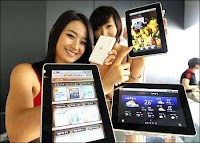
10 of the Best Tablet PC in the Market (Top Picks 2011)

10 Best Tablet PC in Market
Tablets – because of the hit and craze that these gadgets in our modern times posses, the only question that stands out, which Tablet Pc is the Best in the market or even to avid fans? I know you’ve been so craze about this tablet-techno stuff and it’s really hard to choose when you know that there are many options to choose and both have something unique to offer.

Though, after purchasing the Best Tablet Pc that we know - all other tablets around us looks cooler than what we have end up with saying that, “Ops, I have taken a mistake in buying the wrong Tablet for me” Ugh… which means I end up buying two’s or more than what a person could have because of the dissatisfaction and wrong information that I acquired before buying one.

The main roots and lines here is that everyone would like to buy the Best Tablet PC which suits the needs of each user such as Gaming, Business, Blogging, and Entertainment and just for self fulfillment prophecy.

Well so much for thoroughness – here’s Top Picks by findthebest.com for 10 of the best Tablet PC in the Market. Is the iPad or Galaxy Tablet on the list? Check them out!


10 - Amazon Kindle Fire, Amazon
9 - Dell Inspiron Duo tablet PC, Dell
8 - iiView M1Touch with Wi-Fi + 3G, iiView
7 - Asus Eee Pad Transformer TF101, ASUS
6 - Acer Iconia Tab A500, Acer
5 - Samsung Galaxy Tab 10.1, Samsung
4 - T-Mobile G-Slate, T-Mobile
3 - Asus EEE Slate EP121, Asus
2 - Apple iPad 2 with Wi-Fi + 3G, Apple
1 - Samsung Galaxy, Samsung

Findthebest.com is a useful resource to compare everything from antivirus software and smartphones, to cars and ski resorts.

Minggu, 20 November 2011

10 of the Best Twitter Tips To Promote Your Website

Twitter is one of the best promotional tools online to attract people to your website. You can use it to raise your profile within your niche, find targeted followers, advertise your products/events, alert people to new posts on your blog, etc.

The following is a list of 10 Twitter tips that you can use to help promote and drive targeted traffic to your website.[A guest post by Matt Smith of OnlineIncomeTeacher]

1 - Drive Traffic To Your Website

Millions of people across the world use Twitter everyday. That's a lot of people, but obviously most won't be interested in what you have to say. The key is to find the people that ARE interested!

Search for people who tweet about the same things as you, post links to similar content to your site, talk about subjects that you talk about. These are the people who you want to be targeting. When you find people like this, make sure to follow them and try engaging with them. Once they realise that you are of interest, they will follow you back.

Your aim is to grow your followers with people who are specifically interested in your website niche. Then, when you Tweet about your new content, you are more likely to get a response/get people to click through to your website.

2 - Blogging & Twitter Go Hand-In-Hand

If you run your own blog or website, then Twitter is the perfect marketing tool to promote your site on. Now, there are a few ways to do this;

One of the best and easiest ways is to place a visible link to Twitter on your homepage or sidebar, perhaps via a Twitter button or “Follow Me” icon. This will direct targeted traffic to your Twitter account page, allowing people to follow you and keep up to date with your latest tweets.

You can display a 'Recent Tweets' box on your website as well. This is a great way to display your most recent tweets to visitors of your site. As well as being able to see any useful tweets/links, they can also see that your site is active.

Another excellent way to utilise Twitter on your site is to display sharing links on your posts. As you can see, at the top of this page and to the left of the post, there are links to Twitter (and other social media sites) allowing people to share the post with their online community.

Don't forget to Tweet this very post!!!

3 - Self Promotion On Twitter

There are a lot of people on Twitter, so it's important that you try to make yourself stand out from everyone else. This is where creating your own brand identity is needed, which in the long-run will benefit your site.

To start with, you need to write a short 'bio' about yourself, which will appear on your Twitter profile. This 'bio' helps people understand who you are, or in the case of a website, what the website is about. This may sound really simple, but you need to spend time thinking this through carefully. You have a limited amount of space to write your description in, so it's vital that you get all the information that you need in.

The key to self promotion is to (surprisingly) self promote! Tweet regularly about your site, new posts, news, related products, promotions, etc. and keep your followers up-to date with what is happening.

A good tip would be to Tweet about other people's content within your niche, as well as your own. This way, your followers see you as a source for valuable information instead of only being interested in yourself.

4 - Get To The Point!

You only have 140 characters to Tweet with. This means that you need to get to the point of what you are saying.

This is easier said than done, but the more Tweets you send, the better at it you get. Try to always provide the most vital bits of information and keep everything simple and short, whilst being easy to read.

Remember that you need to allow room for links and hash tag categories (i.e. #blogging) within your 140 character limit. Shorten your links with URL shorteners such as bitly.com and don't use too many hash tags.

5 - Be Social

Twitter has a huge active community of people on it, so interact with people and get your name out there. Whatever your niche, get involved with the people interested with it. Make friends, ask questions, chat, share ideas, re-tweet others, etc. You can't expect to grow your number of followers without being social.

It always amazes me when I get followed by someone that has never tweeting anything! They may be following several thousand people, but have never bothered to interact with any of them. Now this is fine if you only have a small interest in Twitter, but for someone who is promoting there own website/business, this is like shooting yourself in the foot.

You can not expect to grow followers and build a brand without interacting!

6 - Listen To What Your Followers Are Saying

I love Twitter for all the reasons on this list, but by far my favourite and probably most useful is how it can be used to improve your existing business. Think of it as an amazing tool for conducting market research with millions of users, and its all completely FREE!!!

You can get instant reaction from your followers, so you can see what is working and what isn't. Ask them what they like about your website, what they don't like, what they would like to see in the future, etc. What ever aspect you want to learn about, you can ask your followers.
Just make sure you listen to what they say! After all, it's pointless getting all this valuable information if you don't intend on acting upon it.

7 - Talk To People

Sounds simple... and it is, but you would be surprised how many don't do this. Twitter is full of people having conversations, with plenty of useful information. The key is to get chatting to people, ask questions, respond to other peoples questions, and generally interact with others.

8 - Be Open & Honest

Whether talking about your business or life in general, honesty is always the best policy. People are smart, it's easy to tell when someone is talking a load of nonsense, or trying to sell you something “vital” that clearly you don't need. This only results in loosing business.
Be open and honest about your business. Be honest about who you are and what you are talking about. Trust is a vital part of life, if people have trust in you they are much more likely to listen to what you have to say and do business with you.

Always be honest whilst on Twitter. If you happen to find something that you found interesting, or which you think your Twitter followers would like, then Tweet it and tell them about it. Similarly if you find something that you dislike, then again tell people about it. Your followers may not agree with everything that you say, but in the end they will value your open and honest opinions, which is much better in the long run!

9 - Customise Your Twitter Background

You can upload a customised Twitter background for your profile. This lets anyone that visits your Twitter profile to see your customised background.

This can help you stand out from the crowd. Include your website logo, URL address, product promotions, event dates, etc. Check out my custom Twitter background @matt_oit

10 - Useful Twitter Tools

As I have said, Twitter is a great tool for promoting your website, but you need to remember to spend time working on your site and not spend all day Tweeting. Thankfully there are plenty of tools that you can use to make life a little easier.

You can use online tools to automate things like following & un-following people, scheduling Tweets, thank people for following you, etc. Some of the best that I use are 'Tweet Adder', 'HootSuite' & 'MarketMeTweet'

I find that scheduling a few tweets at night helps to promote my site to people on the other side of the world. Just think of all the people online who could be reading your valuable content whilst you are asleep!
matt smith
This is a guest post by

Matt Smith

Matt runs his own blog 'OnlineIncomeTeacher' which teaches people how they can earn money online and set up their own website/blog. You can follow him on Twitter @matt_oit

Minggu, 09 Oktober 2011

10 of the Most Interesting Disney Princess Facts

The Disney Princesses are loved by all generations. Their popularity can be, in part, attributed by the time and dedication put in by the Disney team. The Disney Princesses are a controversial bunch in spite of seeming rather mild and have been attributed to causing many a psychological issue! Love them or hate them, they're still fascinating.

Here are some interesting facts about some of the Disney Princess films.
1 - You may notice in all Disney Princess merchandise, when pictured together, the princesses don’t acknowledge one another — they’re always looking away from one another or directly at the camera.

Apparently Roy Disney, nephew to Walt Disney, was against the mass marketing of the Disney Princesses outside of their own stories. Eventually, Roy consented as long as they weren't aware of each other.
2 - Although Pocohontas' age was not mentioned in the film she is thought to have been around 17.

In reality, Pocahontas met John Smith, aged around 12 although her exact date of birth is unknown. She is thought to have died when she was just 21.
3 - Rapunzel's hair is reportedly 70ft long and was created by a team of more than 30 animators and software engineers were assigned to the task of animating it.
4 - In The Princess and The Frog, there are various tributes to previous films. During the song “Down in New Orleans”, the carpet from Aladdin is being shaken up on a balcony and Mama Odie comes across the lamp from Aladdin. A Mardi Gras parade float is modeled after King Triton from The Little Mermaid.
5 - Walt Disney took a huge gamble with Cinderella.

He had not had a hit film since Snow White and Cinderella cost nearly $3,000,000 to make. To save money when animating the pumpkin coach, the animators drew the coach to float on air so that they would not have to animate the turning wheels. Thankfully it was a huge success.
6 - In The Princess and The Frog the star Ray calls "Evangeline" is in fact the planet Venus. Venus is known as the Roman goddess of love.
7 - In Sleeping Beauty a flame thrower was used to create the dragon breath sound effect for the climax of the movie (I hope they did this outside!). Castanets were used for the sound of its snapping jaws.
8 - We all know Robin Williams' talent for talking. In fact, in the first scene from Aladdin it was totally unscripted. Unfortunately, because Robin Williams ad-libbed so many of his lines, the script was turned down for a Best Adapted Screenplay Academy Award nomination.
9 - In Snow White, Dopey was originally meant to have a voice. They made him mute when they couldn't find a suitable voice.
10 - In the Little Mermaid, Sebastian the Crab's full name is Horatio Thelonius Ignatius Crustatious Sebastian. Quite a mouthful!
  • Reference/Source: Princess Delights
  • About Princess Delights "Providing Princess children's entertainers across the UK." Princess Delights was started in 2009 when my twin daughters wanted a princess party. The creator couldn't find any children's entertainers that did Disney princesses in their area so she decided to take on the role herself. Since then, she have been impersonating Sleeping Beauty for young girls all over Warwickshire.

    About Samantha Sidwell, the author

    She's a mummy to her beautiful twin girls born in 2006, wife to John and owner and manager of Princess Delights. Find out more about behind the scenes at Princess Delights, share tips about hosting the perfect princess party and join in with my musings on mummyhood.

Kamis, 15 September 2011

10 Reasons to why people buy iPads


We have a lot of tablet computer available in the market. I would love to convince everyone to get one, I prefer Ipad, it's my personal choice. Tablet Computer or simply tablet is a complete mobile computer, operated by touching the screen.

If you don't have an Ipad yet and you're not sure that you really need one for yourself, here's 10 reasons why you should buy an Ipad.

1 - Mobility

You can take anywhere and work anywhere. Ipad is very light in weight and easy storage. You just need to load up all the necessary applications that you need and take everything with you. You can check your email and you can retrieve your files online using a wifi connectivity or if your ipad has 3G connectivity.
2 - Stay Connected

Stay connected 24/7 while on the road. Using Instant Messenger such as yahoo messenger, google talk, facebook, skype and others. Easy connections with your friends or at work when your out of your desktop. You can even do video or voice chat.
3 - Lot's of Games

Download all your favorite games through your Ipad device Apps store. Play games in your past time or in your boredom hours. With the multi touchscreen on ipad playing games is truly exciting.
4 - Movies

Loading my favorite Korean Dramas and Movies in my Ipad and watch it during my spare time or when I'm in bed lying.
5 - Music and Podcast

Listening to music or on my downloaded podcast using earphone or you can attached a mini speaker to boost the volume. You can also download music direct from your ipad using a specified apps.
6 - E-books and Magazines

Reading from your collection of ibooks and magazine straight from your ipad.
7 - Video Streaming

I can watch my favorite Korean Drama straight from the website in my ipad online anywhere I go and also videos from youtube, dailymotion, and other sites.
8 - Paper Less

I don't need some paper and pen if I need to jot down or write some important message or text. I also use this NOTES apps when writing my draft for my blog.
9 - Apps Galore

Apple offered a wide range of application at apps store. Apps ranges from free, free version, lite version to full version amounting to $.99 and above. You can download any kind of application that are useful for your needs.
10 - Long Battery Life

What's best about this Ipad, it has long battery life. I can use this Ipad for 8 straight hours before I need to recharge it.
This Ipad is a perfect gadget when I'm out of town or out of the country. All in one entertainment thing for me. Easy to carry and just fit right on my handbag. Useful on my daily basis and very entertaining. My secondary computer from my Macbook Pro especially when I need to search something in an instant.
  • Reference/Source: Karenjardeleza.com[a.k.a Simply Me] by Karen Jardeleza [09/08/2011]
  • About Simply Me Personal Journal being Simply Me. I write about my travel, my escapades, my adventure, food, churches, gadgets, lifestyle, drama and other stuff.

    About Karen Jardeleza, the author

    Karen is from the country that has 7,107 Islands, The Philippines.She is a BS Accountancy graduate, a businesswoman, an entrepreneur, a Korean and Japanese drama enthusiast, a traveller, a gadget enthusiast and a photography enthusiast.

Sabtu, 03 September 2011

10 Tips on Developing and Designing your Website

For three years, I have done a lot of web site application and most of them are corporate sites. So I thought of sharing some of the things I have learned from my work. Let's start by differentiating the term web designer and web developer. It should be clear that this two jobs are related to each other but not similar.

Web Designer vs. Web Developers

Web designer usually handles the front-end of the site. They are the ones who are concerned with the user interface (UI) of the website, basically they are the artistic people who knows the tricks and techniques of CSS and scripting that they can use on the browser wars.

On the other hand, web developers are the ones assigned to the back end of the site and doing the logic behind. They are the ones who used their brain cells on making the site work and as well as protect the it from invaders (technically called spams and other bots that tries to harm the site).

1 - First screen without scrolling is important (aka 'Above the Fold' )

Basically this defines the first impression a visitor sees everytime they see your site. It is a rule of thumb that they should know all the information about your site without scrolling down. The upper part should always explain or at least give a brief description on what to expect on your site. Avoid too large banners that almost occupy half of the screen. Put all menu and navigation on the upper part of the site and make sure it is visible enough for the users to see. Place all non-important things below or on other pages. Do not place them on the top unless you want it to be seen intentionally.

Thanks Harrison for the term 'Above the Fold'. :)
2 - External Files

This applies to all your scripts and styles. It is advisable to use external files instead of placing them inside your HTML (or whatever you are using) to customize your site. Why? Usually this is used to boost the speed of the sites. External scripts are saved on cache and so the next time you visit the said site it would be faster than the first time.

Now what if you're using blogger for your site host, well you can use other third party services to generate external scripts that you can call anytime. You can try Pastie by Josh Goebel for example, this generates text files that you can access from your site so that you can use it for your scripts and styles.

3 - Know your image well

Portable Network Graphics or PNG are the most common image type being used on web sites. It is because the said type supports transparency and is more convenient to use because it is smaller than using Graphic Interchange Format or GIF.

But upon using this, make sure that you know the consequence of this. There is actually an issue about PNG's transparency on Internet Explorer. Reports said that the previous version of IE doesn't support the filter that fixes this issue. There are lot of tutorials on the net that solve this issue, some of them uses CSS while others use javascript. As a developer, I don't recommend javascript solutions since these can be disabled on browsers. For CSS here is the porperty to add to resolve the issue:

...
view plainprint?

filter: progid:DXImageTransform.Microsoft.AlphaImageLoader(...);

...

See this report on how to properly use it.


4 - Flash are good but is not advisable at all times

So you want to add flash on your site? Think twice. It is now very common that you'll receive visitors who are using mobile browsers to surf the net. Most of this mobile browsers doesn't suppport such file types and thus will just ruin your site on the said browsers

Another problem is that flash, which is commonly on SWF format, have issues on web designing. These files always comes to the top part of your site (foreground). So even if you use your z-index property knowledge, it won't go on the background of your other items. To resolve this you can always use the wmode property of flash files when you are trying to embed them.
5 - Make sure that your site is readable

Most of the time, this is the issue I'm getting. People are always telling me that the fonts are too small or too big. Actually there are no rules on using font-size. The issue arises depending on the audience you are trying to target. Usually you can use larger fonts for older people, on the other hand, I usually use 12 to 14 px for corporate sites.

Font-styles are also important to consider. Make sure that they are READABLE. Don't use Monotype Corsiva or Wingdings. Most of the time Arial, Times New Roman or Calibri are used for sites, others are just too much for sites and are not advisable. Courier are used for source codes and typewritten type of letters, leave it to those kind of blocks and never use them on your site.

Know how to use bold and italic letters, avoid using them regularly and never (as in never) use them as a default font for your site.

6 - Be careful with client-side scripts

Javascripts and JQuery are common on web developing and web designing. But before adding this, make sure that you know the consequence of using this. There are actually some browsers and users that are blocking this scripts for their protection. Make sure you know how to handle this cases especially if these scripts does a lot of important actions on your site.

During this case, noscript tags can be helpful.
7 - Anything you post on the web can be stolen

It is a stupid fact that everyone should know. I actually have a client before that wants her files to be protected in a way that no one can download it.. well for me it is stupidity!

As I have said, almost everything you see on your browser are being stored on cache, and how do they do it? the browser downloads it and saves it as temporary files for future use. So that's it! It needs to be downloaded so that it can be shown on the screen. So if there is something you don't want others to see.. Store it on your hard disk, unplugged your computer, place it inside a drum, cover it with cement and bury it. That way no one can steal your files! >:-)
8 - Place all scripts below the page

Make sure that the content is always above the unnecessary scripts. The reason why the visitors visit is because they want to see the content of your site. By placing the scripts below, users will be able to see your contents even if the page is still loading.

9 - Dress properly

Sites are like a product selling himself or a person attending a party. They need to look good depending on the occassion. Make sure that the colors blend together, unless you're selling "colors" on your site. Usually, 1-3 colors are enough for corporate sites. For kiddy sites, pastel colors work well.

Again, choose your colors right!
10 - Make it interactive

It's now the era of Web 2.0, interaction is a must! Visitors needs to interact to your site. Leave reading to books and encyclopedia. Viewers need to be somehow entertained while they are viewing your site. Add things that they can click like social sharing or social bookmarking buttons. If you can't add something like that, at least add some moving objects like animations. Anything that would catch attention so that users can continue reading.
Last and most important of all, though speed is our top priority we always need to make sure that everything works fine, errors are handled well and all unexpected cases are catch nicely (expect the unexpected as they always say). Now, when you are sure that everything works as you want it to be, then it's time to worry for speed. Happy developing! :)

~ Aji Banda

  • Reference/Source: Ajibanda.blogspot.com by Aji Banda [8/03/2011]

  • About Beneath the Tree A collection of algorithm, code and other programming methods. Includes programmers' point of view, interests and game reviews.

    About Aj Banda, the author

    I'm Aj but some calls me aji. I'm a web programmer and a blogger. I used my blogs to share my knowledge to the world but most of the time it serves as a reference of my previous algorithms and source codes.